
Does Chase Give You a Credit Card Number Instantly?
If you're looking for a Chase credit card you can use right away, you may be able to get instant access to your new card before the physical card arrives in the mail. Chase offers a feature called Spend Instantly that allows eligible cardholders to add a new Chase credit card to a digital wallet and start making purchases the same day.
However, Chase instant access does not necessarily mean you'll receive a physical credit card immediately. Instead, eligible cards can be added to digital wallets such as Apple Pay, Google Pay or Samsung Pay, allowing you to use the card from your smartphone while you wait for the physical card to arrive.
Affiliate Disclosure: We are a professional review site that receives compensation from the companies whose products we review and recommend. If you click on a link, when an application is approved, or when an account is opened, we may earn a commission. We are independently owned, and the opinions expressed here are our own.
Does Chase Offer Instant-Issue Credit Cards?
Chase offers instant access to certain newly approved credit cards, but this is not the same as receiving an instant-issue physical credit card. Chase calls its feature Spend Instantly, which allows eligible applicants to begin using a new Chase credit card by adding it to a supported digital wallet.
In other words, when people search for an instant-issue Chase credit card, they may be looking for a card they can use immediately after approval. Chase can provide that type of immediate access for eligible cards, but the access is digital rather than a physical card being printed and handed to you immediately.
Chase says that customers can add eligible cards to Apple Pay, Google Pay or Samsung Pay and start making purchases before the physical card arrives in the mail.
This means that if you are approved for an eligible Chase credit card and the card is available for immediate digital access, you may not have to wait for the physical card before you can start using your new account.
How Does Chase Instant Access Work?
Chase's instant-access feature works through a digital wallet rather than by immediately issuing a physical card.
After your new Chase card is available, you can use the Chase Mobile app to add the card to a supported digital wallet. Chase's instructions say to sign in to the Chase Mobile app, select the credit card, scroll to Account Services, and select Digital Wallets. You can then choose an available wallet and select the new card.
Once the card has been added, you can use the digital version for purchases at merchants that accept the applicable digital wallet.
Can You Use a Chase Credit Card Before It Arrives?
Yes, if your new Chase credit card is eligible for Spend Instantly and Chase makes it available for digital-wallet use.
This is the main advantage of Chase's instant-access feature. You can begin using the account before the physical card arrives in the mail instead of waiting to receive the card before making your first purchase.
For example, you may be able to use your new Chase card through Apple Pay, Google Pay or Samsung Pay for an eligible purchase while you're waiting for the physical card to arrive.
Does Chase Give You the Physical Card Instantly?
Not necessarily. Chase's Spend Instantly feature is designed to give eligible cardholders digital access to the card before the physical card arrives.
In other words, instant access and instant physical issuance are two different things.
If you're asking whether Chase will immediately hand you a physical credit card after you're approved, that's different from Chase allowing you to add the newly approved card to a digital wallet and use it the same day.
Which Chase Credit Cards Offer Instant Access?
Instant access is not something you should assume applies to every Chase credit card. Eligibility depends on the card and the circumstances surrounding the account.
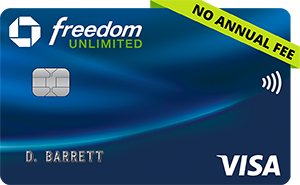
For example, Chase currently advertises its Spend Instantly feature on the Chase Freedom Unlimited® Credit Card. Chase says eligible applicants can receive instant access to the card by adding it to a digital wallet such as Apple Pay, Google Pay or Samsung Pay.
If you're specifically looking for a Chase card that you may be able to use before the physical card arrives, the Freedom Unlimited is one card to consider.
How Do You Add a New Chase Card to a Digital Wallet?
Chase provides instructions for adding a card to a digital wallet through the Chase Mobile app.
- Sign in to the Chase Mobile app.
- Select your Chase credit card.
- Scroll down to Account Services.
- Select Digital Wallets.
- Choose the digital wallet you want to use.
- Select the new or recently replaced Chase card that is available to add.
The available digital-wallet options can include Apple Pay, Google Pay and Samsung Pay.
What If Your Chase Card Isn't Available for Instant Access?
If your newly approved Chase card isn't available to add to a digital wallet immediately, you'll need to wait until Chase makes the card available or until you receive the physical card.
Not every Chase credit card is eligible for immediate digital-wallet access, so the fact that Chase offers Spend Instantly does not mean that every new Chase card can automatically be used immediately after approval.
Chase Instant Issue Cards: The Bottom Line
Chase does offer a way for eligible cardholders to use certain new credit cards immediately, but the term instant issue can be misleading if you're expecting a physical card to be printed and handed to you on the spot.
Chase's Spend Instantly feature provides digital access to eligible cards through supported digital wallets. That can allow you to begin making purchases the same day instead of waiting for your physical card to arrive.
If immediate access is important to you, check the specific Chase card you're applying for to see whether it currently supports Spend Instantly. Chase's card offerings and eligibility requirements can change, so the current Chase application and card information should be checked before applying.
Found this guide helpful? Save this for later as you continue your financial journey!
Compare a variety of credit card offers.
FICO® Credit Scores
A FICO® Score is a proprietary credit score created by the Fair Isaac Corporation (FICO). About 90% of top U.S. lenders use it to make lending decisions.
FICO® Score Ranges:
- Exceptional: 800–850
- Very Good: 740–799
- Good: 670–739
- Fair: 580–669
- Poor: 300–579
FICO categorizes scores as Poor, Fair, Good, Very Good, and Exceptional.
What is a Credit Score?
A credit score is a three-digit number (300–850) predicting your creditworthiness. Lenders use it to evaluate risk and determine rates and terms for credit.
Why it matters: A higher score can help you qualify for loans and lower interest rates. A lower score can lead to higher borrowing costs or application denials.

FICO® Credit Score Facts
- Three-Digit Number: Summarizes your credit risk.
- Range: 300–850; higher scores = lower risk.
- Data Source: Uses your credit reports from Experian, Equifax, and TransUnion.
- Industry Standard: Lenders rely on FICO for mortgages, auto loans, and credit cards.

Note: Credit scores reflect your creditworthiness but do not guarantee approval for any credit product.
Security Notice: All participating issuers use secure application systems protected by Transport Layer Security (TLS) encryption to help protect your information.
*See the online credit card applications for details about terms and conditions of credit card offers. Reasonable efforts are made to maintain accurate information. However all credit card information is presented without warranty. When you click on the " Apply Now " button you can review the credit card terms and conditions on the credit card issuer's web site.
Advertiser Disclosure: The card offers that appear on this site are from companies from which Gettingacreditcard.com may receive compensation when a customer clicks on a link, when an application is approved, or when an account is opened. This compensation may impact how and where products appear on this site (including, for example, the order in which they appear). Gettingacreditcard.com does not include all card companies or all card offers available in the marketplace.